Dreqalixana
Pulse Pack
Pulse Pack
Couldn't load pickup availability
- 🔄 Digital file available after purchase
- 🗂️ Long-term availability
- 🔐 Secure checkout
- 🗓️ Content updated in 2026
Self-paced learning overview
Problem Statement
Interface designs often contain small visual differences that are difficult to notice at first. Similar text styles may use different sizes, repeated spaces may vary by only a few units, and related colors may be applied without defined roles.
Solution
Pulse Pack introduces a structured method for defining and organizing visual foundations. Learners examine how repeated values can be grouped into clear categories and connected to practical usage rules.
Rather than selecting values separately for every interface element, the course encourages learners to create a shared foundation that can guide future design decisions. This approach supports clearer organization and more consistent visual relationships.
What’s Inside
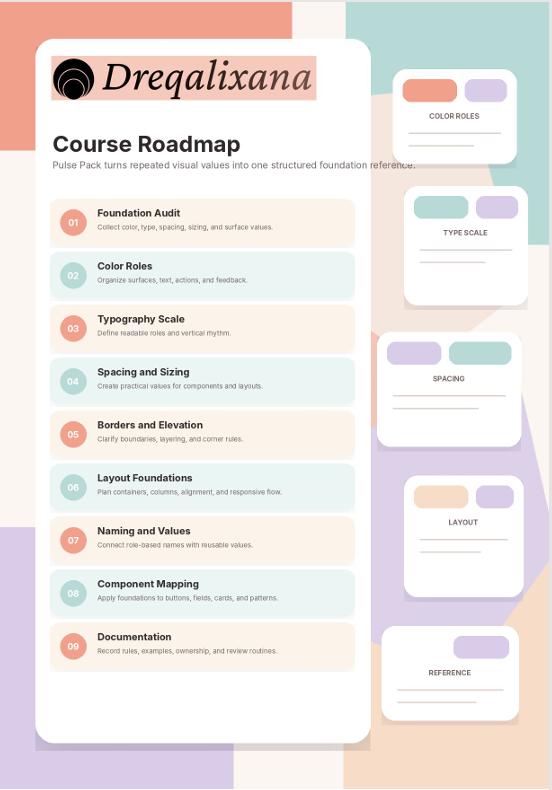
The course includes lessons on color roles, typography scales, spacing systems, sizing groups, corner treatments, border styles, elevation principles, and layout foundations.
Learners work through practical exercises that involve collecting existing values, comparing similar choices, removing unnecessary variation, and arranging approved values into a structured foundation library.
The materials also explain how to write short usage notes, create understandable naming patterns, and connect foundation values with buttons, fields, cards, navigation elements, and content sections.
Who Is This For?
Pulse Pack is intended for learners who understand the basic purpose of design systems and want to study how visual foundations are organized.
It is suitable for students, interface designers, independent creators, and team members responsible for reviewing visual consistency. Learners who have completed Free Kit will find that this tier extends its component inventory and documentation activities.
What You’ll Learn
- Identify repeated visual values across an interface
- Organize colors according to purpose and usage
- Create a structured typography scale
- Define spacing groups for layouts and components
- Compare fixed and flexible sizing approaches
- Arrange border and corner treatments
- Document visual foundation decisions
- Develop clear naming patterns for repeated values
- Connect foundation rules with component design
- Review unnecessary variation in existing layouts
- Prepare a visual foundation reference
- Apply shared values across multiple interface sections
30-Day Refund Terms
A refund request may be submitted within 30 days of enrollment. Each request is reviewed according to the refund conditions presented at the time of enrollment.
Certification
The course includes a certificate of completion, giving learners a clear way to confirm their progress and document the completion of Pulse Pack.
Share
Do I need previous design systems knowledge?
Do I need previous design systems knowledge?
No previous design systems knowledge is required for the opening tiers. Each course follows a structured sequence, beginning with foundational ideas and gradually introducing more detailed methods. Learners may begin with the tier that matches their current knowledge, although following the full order provides a more connected learning experience.
How are the course tiers connected?
How are the course tiers connected?
The tiers are arranged as one progressive learning route. Earlier courses introduce visual foundations, component thinking, naming, organization, and documentation. Later tiers build on these subjects through broader system planning, collaboration methods, maintenance routines, and detailed design decisions.
What learning materials are included?
What learning materials are included?
Each tier may contain written lessons, practical activities, planning exercises, reference pages, examples, review questions, and structured project tasks. The exact material depends on the focus and level of the selected course.